

auth.onconsul.com and powered
by WorkOS Connect. For a thorough
primer on the protocol itself, see
The Complete Guide to OAuth 2.0
by WorkOS.
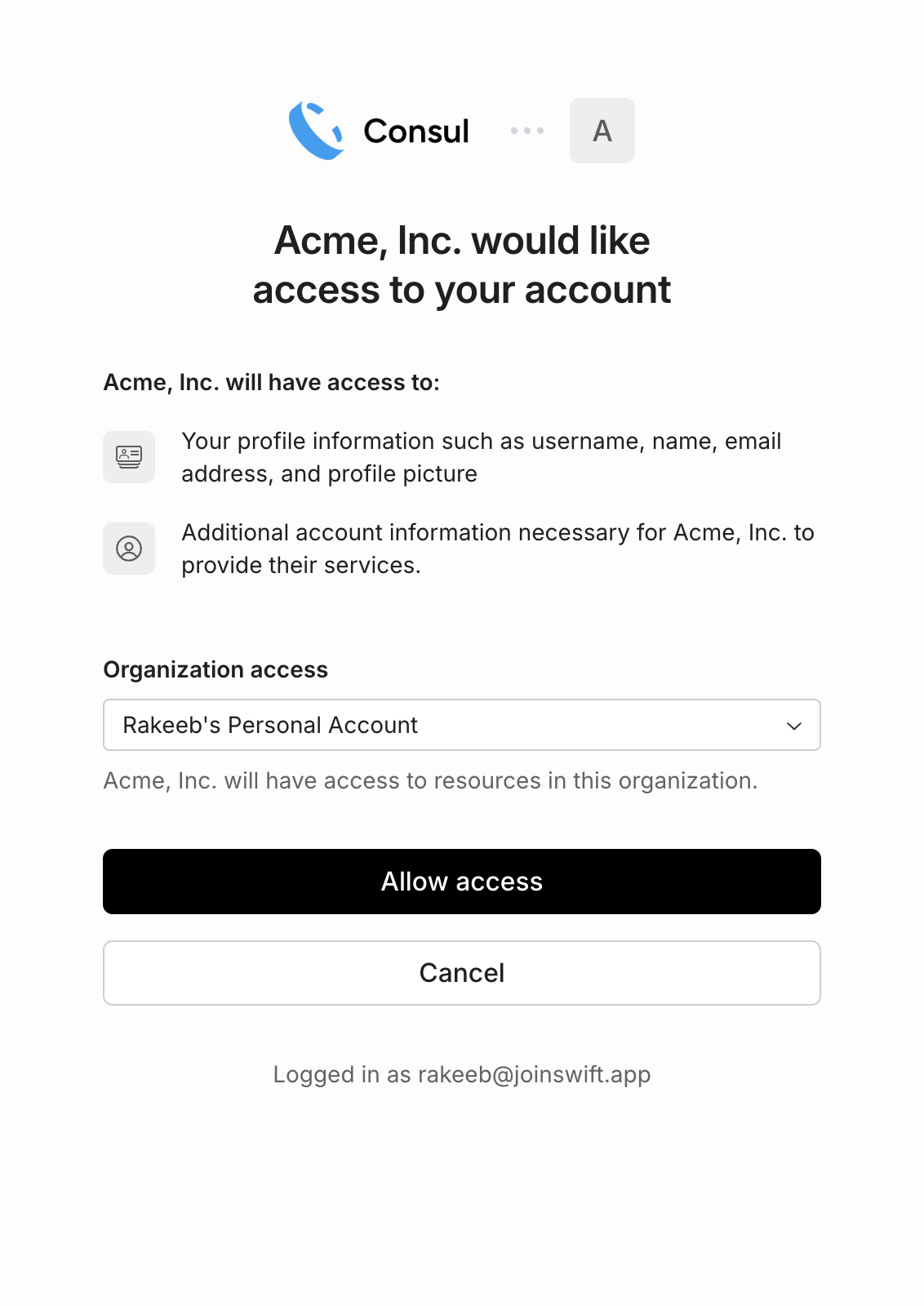
What your user sees when linking their Consul account
What this enables
- Embedded digital wallets. Surface a user’s Consul balance and transaction history directly in your UI.
- Checkout and payment acceptance. Send and reconcile funds from your users’ Consul balances natively in your app.
- Fiat deposits from your platform. Trigger deposits into a user’s Consul balance from your platform without them leaving your app.
Prerequisites
To act on behalf of Consul users, you need a Consul Connect App. Register one from the Developers → Connect section of the dashboard. The dashboard will show you:API keys and OAuth client credentials serve different purposes. An
API key (
csl_live_… / csl_test_…) authenticates requests to
your own Consul account. A client_id + client_secret authenticates
your app during the OAuth flow so it can act on behalf of other
users’ accounts. When making API requests on behalf of a connected
user, use the OAuth access token — not your API key.Authorization code flow
Consul uses the standard OAuth 2.0 authorization code flow. All OAuth endpoints are served byauth.onconsul.com; the Consul v1 API
at api.onconsul.com only consumes the resulting access tokens.
1. Redirect the user to Consul’s authorization endpoint:
state parameter should be a random, unguessable string tied to
the user’s session. Verify it when Consul redirects back to prevent
CSRF attacks.
2. Exchange the authorization code for tokens:
access_token, refresh_token, expires_in,
and the granted scope.
3. Make v1 API requests on behalf of the user:
Refreshing tokens
Access tokens expire. Use the refresh token to get a new one without requiring the user to re-authorize:Revoking access
To disconnect a user’s account, revoke their token:Scopes
Consul scopes are resource-scoped slugs of the formresource:action. Request them as a space-separated string in the
scope query parameter during authorization. Users see the requested
permissions on the consent screen before granting access.
Request the minimum scopes your application needs. Webhook
subscriptions are not exposed via the API at all (neither API keys
nor OAuth tokens can manage them); they are configured exclusively
through the Consul dashboard.