> ## Documentation Index
> Fetch the complete documentation index at: https://docs.onconsul.com/llms.txt
> Use this file to discover all available pages before exploring further.
# Quickstart
> Send your first payout in minutes
Whether you're building a buyer-seller marketplace, a payments platform, or just
looking to automate contractor payments, the high-level flow is to (1) deposit funds into your Consul balance
and then (2) issue a payout.
### Get API Keys
Complete your entity onboarding in the [Consul dashboard](https://dashboard.onconsul.com), then provision your API keys in the Developer section.
### Deposit Funds
To send payouts, you need USDC in your Consul wallet. The quickest way is to link a bank account and initiate a deposit from the dashboard via **Add Funds** or the **Move Money** dropdown. You'll receive deposit instructions once complete.
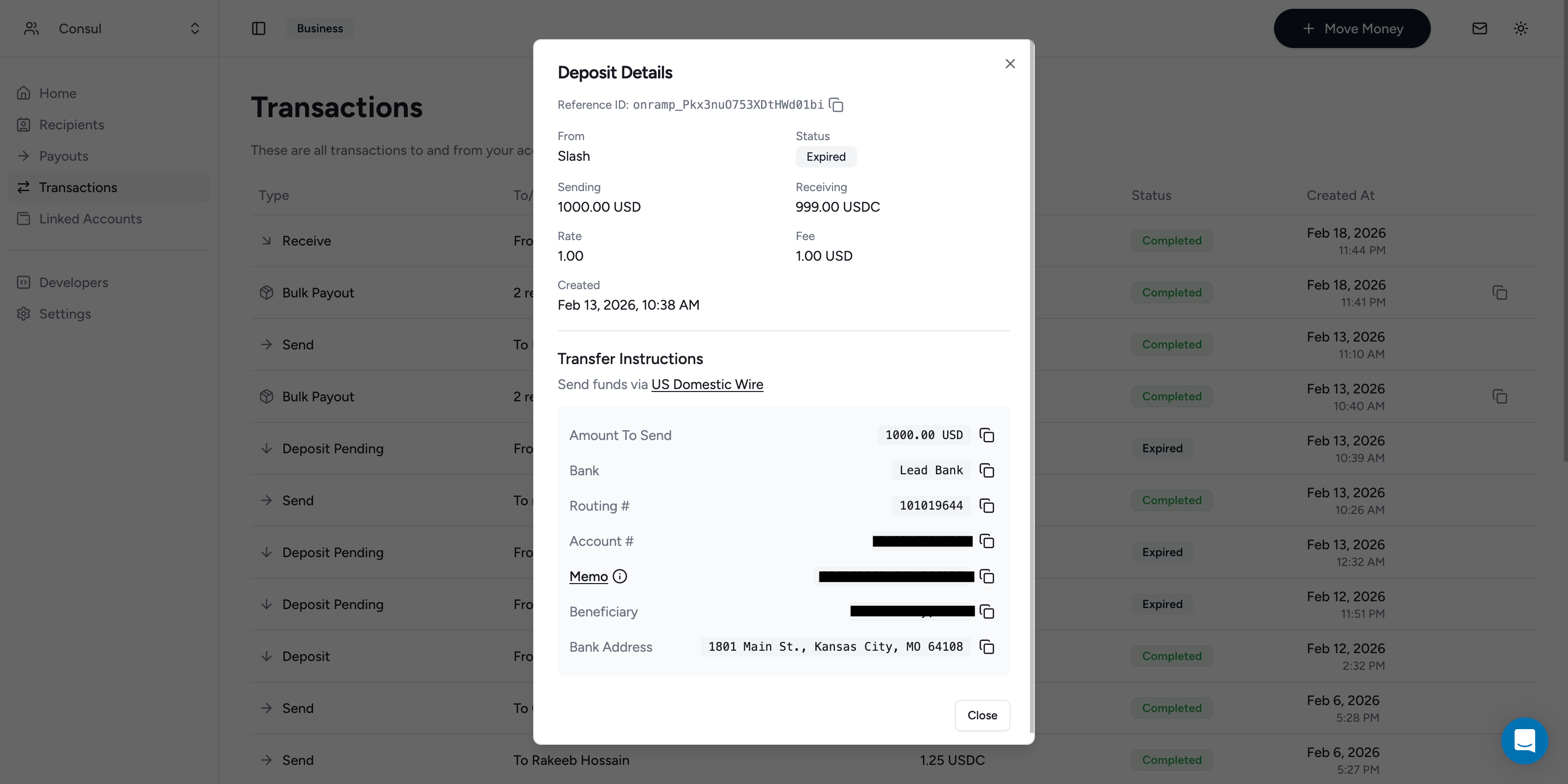 To deposit via the API, use the [Create a Deposit Quote](/api-reference/deposits/create-a-deposit-quote) endpoint. See the [Deposits](/guides/deposits) guide for more details.
### Wait for Deposit Webhook
Once the deposit completes, you'll receive an email notification. For automated flows, listen for the `deposit.updated` webhook event. The funds are now available for payouts.
### Send a Payout
To issue a payout from the dashboard, create a new payout and select the recipients you want to pay.
Alternatively, use the [Create a Payout](/api-reference/payouts/create-a-payout) endpoint to send USDC to one or more email addresses:
```bash theme={"system"}
curl -X POST https://api.onconsul.com/v1/payouts \
-H "Authorization: Basic base64($CONSUL_API_KEY)" \
-H "Content-Type: application/json" \
-d '{
"items": [
{"amount": "100", "email": "alice@example.com"},
{"amount": "200", "email": "bob@example.com"}
]
}'
```
Payouts settle almost instantly (less than 3s p99), but the response returns a payout in `processing` status.
Listen for the `payout.updated` webhook to confirm completion.
### Automating Pre-Funding
The flow above requires a manual deposit. See [Pre-Funding Flows](/guides/funding-flows) for automated pre-funding options.
### What's Next
Learn more about sending payouts
Receive real-time notifications for payout lifecycle events
Explore the full API
Manage pre-funding flows for your payout balance
To deposit via the API, use the [Create a Deposit Quote](/api-reference/deposits/create-a-deposit-quote) endpoint. See the [Deposits](/guides/deposits) guide for more details.
### Wait for Deposit Webhook
Once the deposit completes, you'll receive an email notification. For automated flows, listen for the `deposit.updated` webhook event. The funds are now available for payouts.
### Send a Payout
To issue a payout from the dashboard, create a new payout and select the recipients you want to pay.
Alternatively, use the [Create a Payout](/api-reference/payouts/create-a-payout) endpoint to send USDC to one or more email addresses:
```bash theme={"system"}
curl -X POST https://api.onconsul.com/v1/payouts \
-H "Authorization: Basic base64($CONSUL_API_KEY)" \
-H "Content-Type: application/json" \
-d '{
"items": [
{"amount": "100", "email": "alice@example.com"},
{"amount": "200", "email": "bob@example.com"}
]
}'
```
Payouts settle almost instantly (less than 3s p99), but the response returns a payout in `processing` status.
Listen for the `payout.updated` webhook to confirm completion.
### Automating Pre-Funding
The flow above requires a manual deposit. See [Pre-Funding Flows](/guides/funding-flows) for automated pre-funding options.
### What's Next
Learn more about sending payouts
Receive real-time notifications for payout lifecycle events
Explore the full API
Manage pre-funding flows for your payout balance